Create one project per product, then use a few cross-cutting tags such as release, support, testing, and store. Save only confirmed reusable material; retrieve it in Quick Picker with a product or tag term.
Start from products, not copy events
Indie development moves between Xcode, App Store Connect, email, browsers, and social platforms. The durable material is usually stable: product names, store links, release notes, test instructions, support replies, and promotional images.
PasteItAll adds an explicit decision before material enters the library. Each app can be a project while tags describe reusable stages across products.
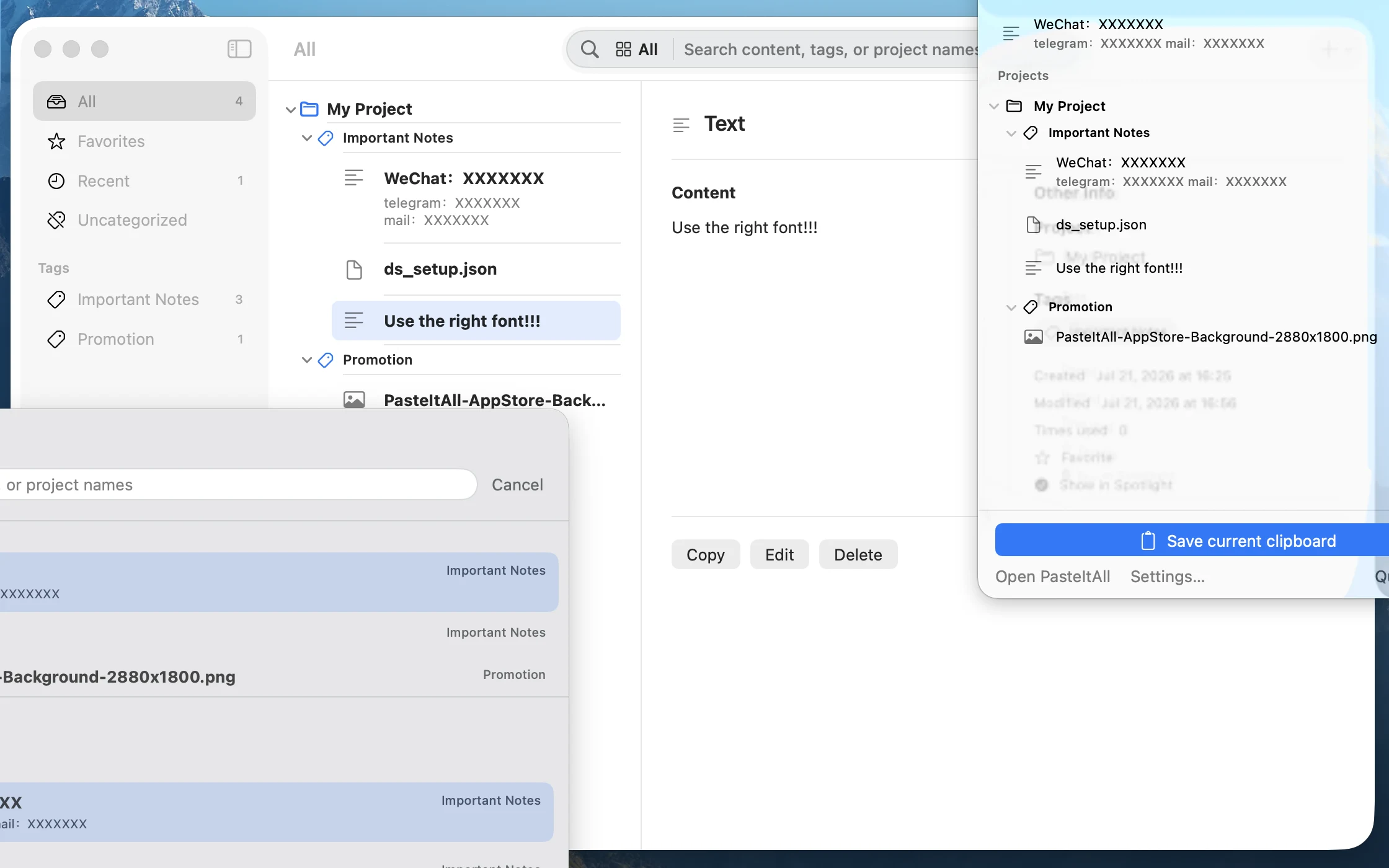
What can you save?
- Store material
- App names, subtitles, keyword drafts, App Store links, and support pages.
- Releases
- What’s New copy, launch posts, and release checklist fragments.
- Support
- Verified FAQ replies, troubleshooting steps, and privacy links.
- Testing
- Environment commands, sample JSON, reproduction steps, and non-sensitive test files.
- Visual assets
- App icons, screenshots, promotional images, and repeatedly uploaded files.
Passwords, private keys, recovery codes, and real user data belong in dedicated secure systems.
A sustainable routine
- After creating something reusable, explicitly save or import it.
- Choose the product project and add one purpose tag.
- When needed, press
⌃⌥Spaceand type the product or purpose. - Preview and retrieve; edit or delete outdated material in the main library.
The value comes from continuous curation. Copying remains temporary while only material worth reusing enters PasteItAll.
Make the next release lighter.
Start with your 7 most-used pieces of product material.
Download PasteItAll free