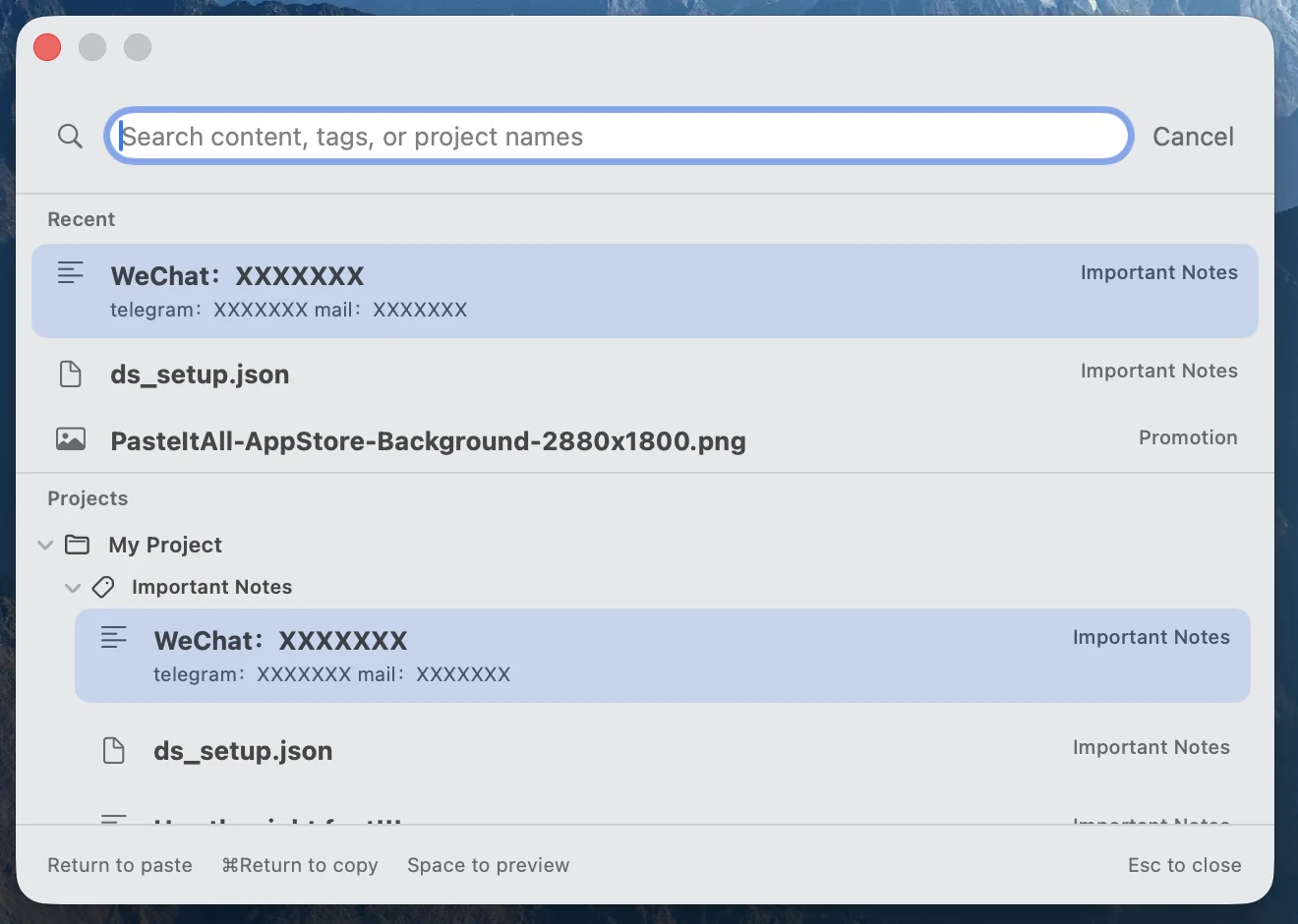
Press ⌃⌥Space, type a term, move with ↑/↓, preview with Space, and retrieve with Return.
Retrieve in four steps
- Press the default
⌃⌥Spaceshortcut from your current task. - Type a word from the content, tag, or project name.
- Use the arrow keys; press
Spacewhen you need a preview. - Press
Returnto use the item, or⌘Returnto copy only.
Default shortcuts
| Action | Keys |
|---|---|
| Open Quick Picker | ⌃⌥Space |
| Save current clipboard | ⌃⌥S |
| Move selection | ↑ / ↓ |
| Use selected item | Return |
| Copy only | ⌘Return |
| Preview | Space |
| Close | Esc |
Global shortcuts can be changed in PasteItAll Settings. If another app owns a combination, choose one that does not overlap.
What does it search?
Quick Picker searches content you deliberately saved, using content, tags, and project names to narrow the list. It does not search unsaved clipboard history.
- Recent
- Return to reusable items you called recently.
- Projects
- Create durable boundaries for work, products, or topics.
- Tags
- Reuse dimensions such as release, testing, or reply across projects.
A focused keyboard flow
Give common items recognizable names and use a small set of stable tags. Type the shortest distinguishing term, then confirm with the arrow keys. This reduces visual scanning and keeps the structure readable.
“Insert from PasteItAll…” is a macOS Service. Placement and supported content types depend on the host app; Quick Picker’s copy-only path is the general fallback.
One shortcut when you need it again.
PasteItAll is free to download from the Mac App Store.
Download PasteItAll